
- Training
- Service
- Promotion
- Schedule
- Testing Center
- News
- Contact
2/2/2023


Printing long lists that are only one column wide can waste a lot of paper, which is bad for the business as well as the environment.
Video tutorial
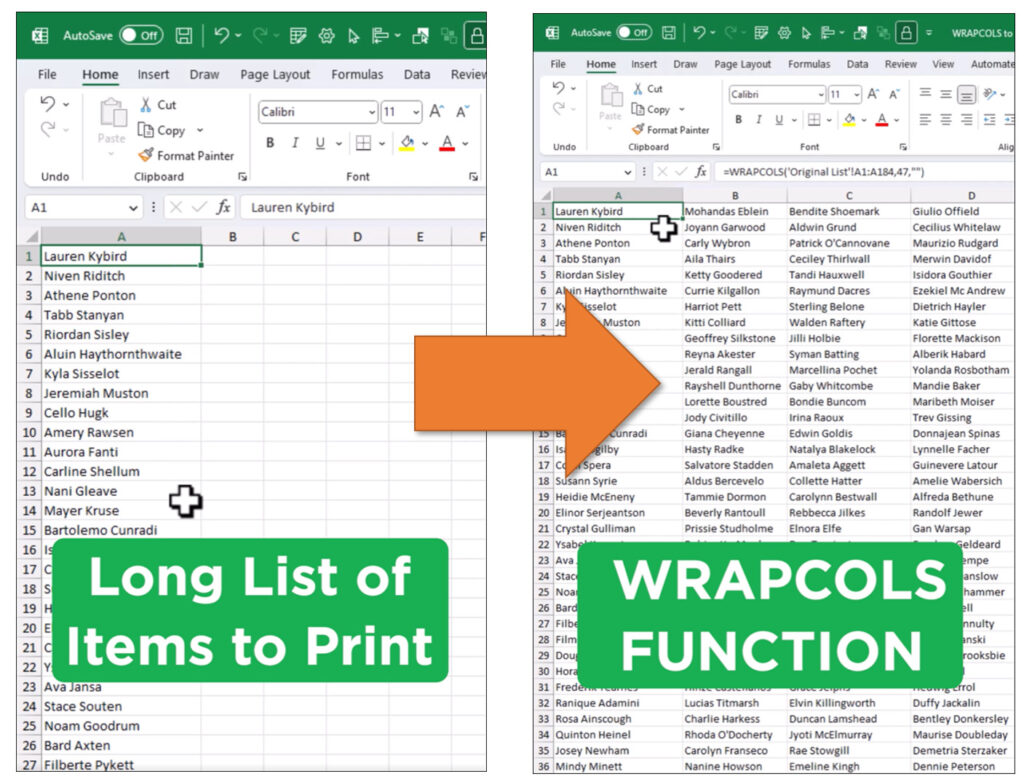
Consider using the WRAPCOLS function to reduce your print page count.
WRAPCOLS takes a long list in one column and splits it into multiple columns side by side.
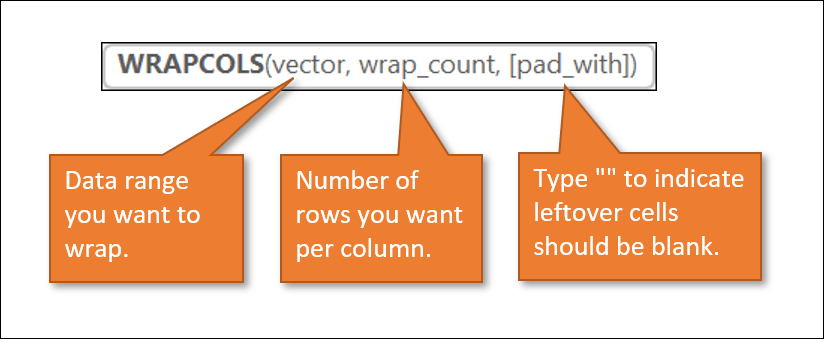
Write the WRAPCOLS function.
1. Select the range containing your list as the first argument of the formula, vector.
2. For wrap_count, tell Excel how many rows you want your new column to have. Excel defaults to 47, but you may want to adjust that number if you've changed the row height.
3. Finally, for [pad_with], enter double quotes. This tells Excel that you want to see the space for any remaining cells in your last column.
Source: https://www.excelcampus.com

12/11/2025


